Get up to 30% more installs from your screenshots
Drop in your raw app screens and get ASO-optimized, localized store screenshots, synced straight to both stores.
7 days free. $0.00 due today, cancel anytime.
Edit your screens, live
This is the real Lingue editor with three sample screens. Drag a headline, retype it, swap a background, no sign-up needed. Changes here aren't saved.
Demo only: changes aren't saved. 7 days free, cancel anytime.
Store-ready screenshots in three steps
From raw screens to a localized, store-ready set. No design background needed.
Upload your screens
Raw simulator screenshots in, editable ASO-optimized draft out. Benefit-led headlines included, in minutes.
Make it yours
Real canvas, not templates. Move, restyle, reframe, magnify. Every element is editable.
Localize and ship
One click translates the whole set into every App Store and Play Store language, RTL included. Sync straight to both stores.
Built to win the install
Lingue turns your screens into ASO-optimized screenshots, then gives you everything to edit, localize, and ship them, all in one project built only for App Store and Play Store screenshots.
A converting first draft in minutes
Lingue writes benefit-led, verb-first ASO copy and lays it out on editable screens. You start from 80% done, not from a blank canvas.
Sell in every market without a translator
Every language both stores support, right-to-left handled, per-locale overrides. One project, no duplicates.
Never open App Store Connect's screenshot page again
Push finished localized sets to App Store Connect and Google Play from inside Lingue. No 40-file upload sessions.
Exact sizes, every device, zero resizing
iPhone, iPad and Android presets export at the precise resolutions the stores demand.
Your brand stays yours
Any Google Font or your own uploads, pixel-accurate device frames or frameless, versioning to try directions safely (Pro).
One project, every market
People decide faster in their own language. Lingue builds your screens once, then localizes the copy into every language both stores support, with no rebuilding and no duplicate projects.
- Localize into every language the App Store and Play Store support
- Right-to-left layout for Arabic, Hebrew and more, handled for you
- Override copy, fonts and spacing per locale, with no duplicate projects
- Export a localized set for every market in one go
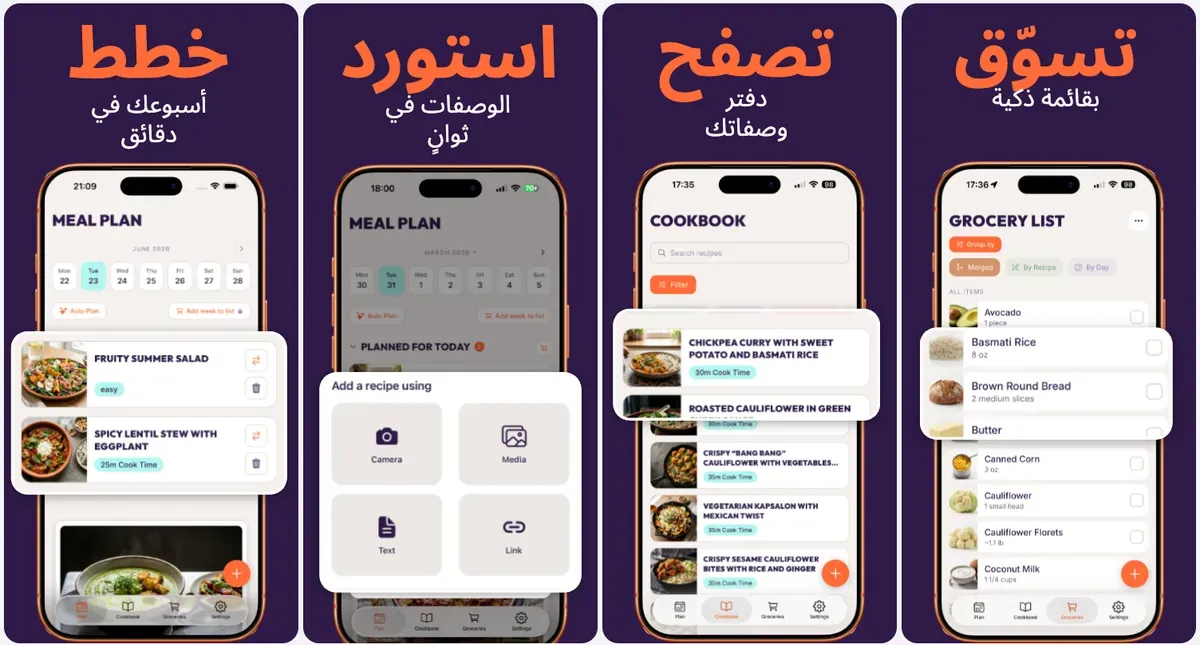
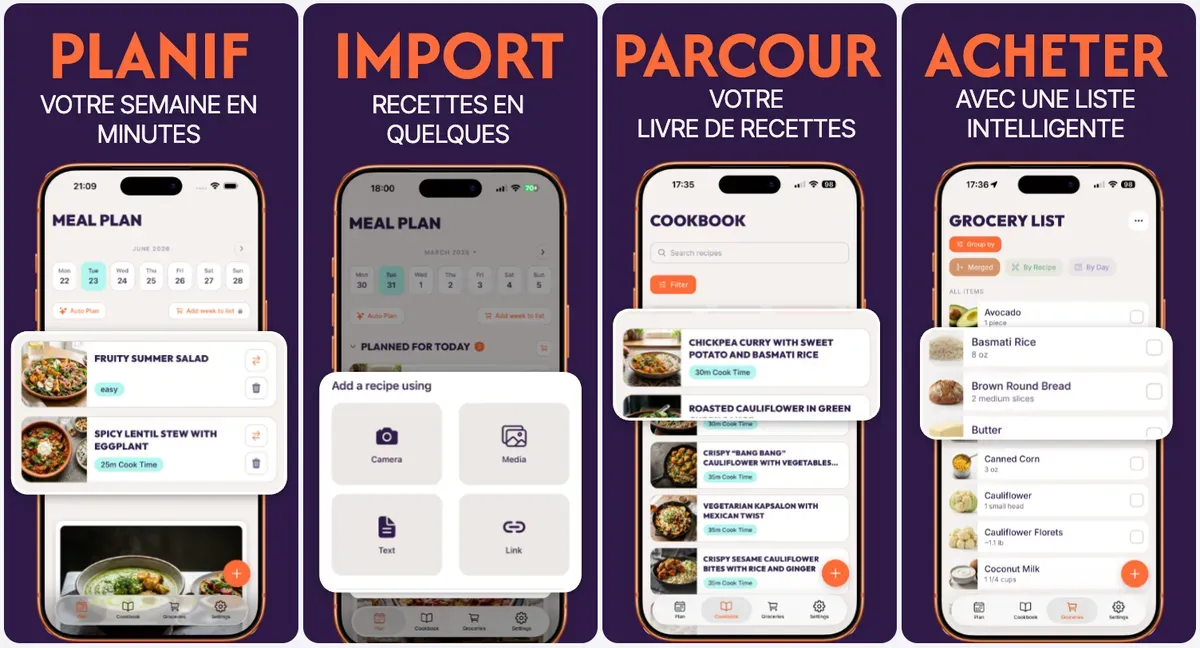
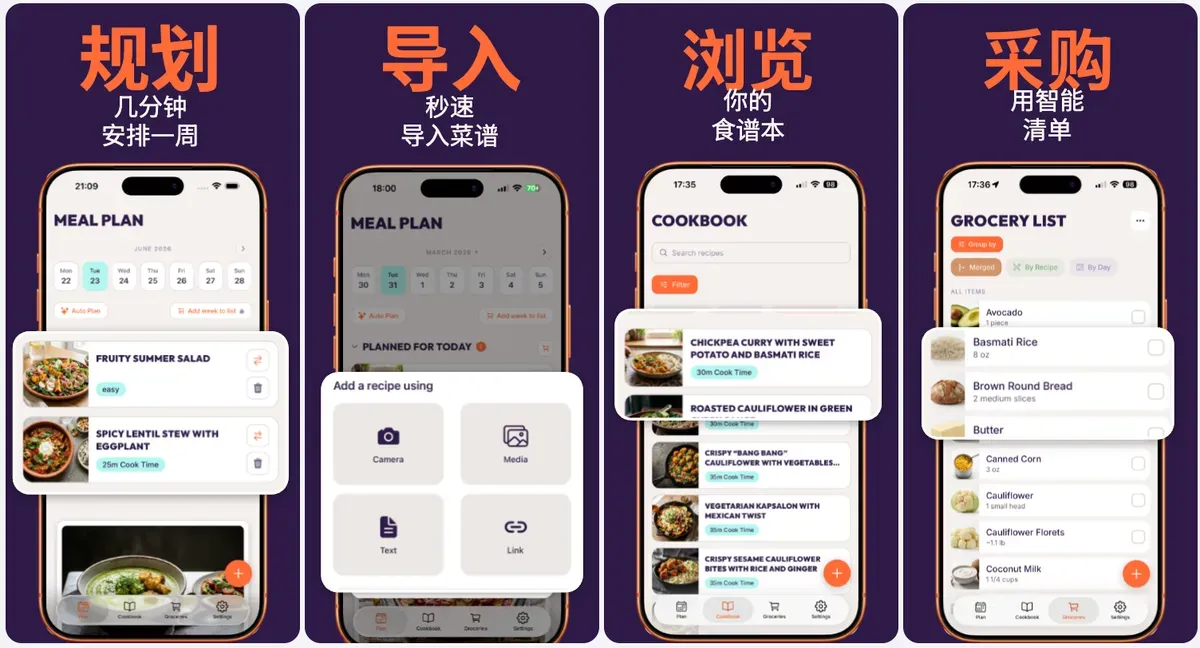
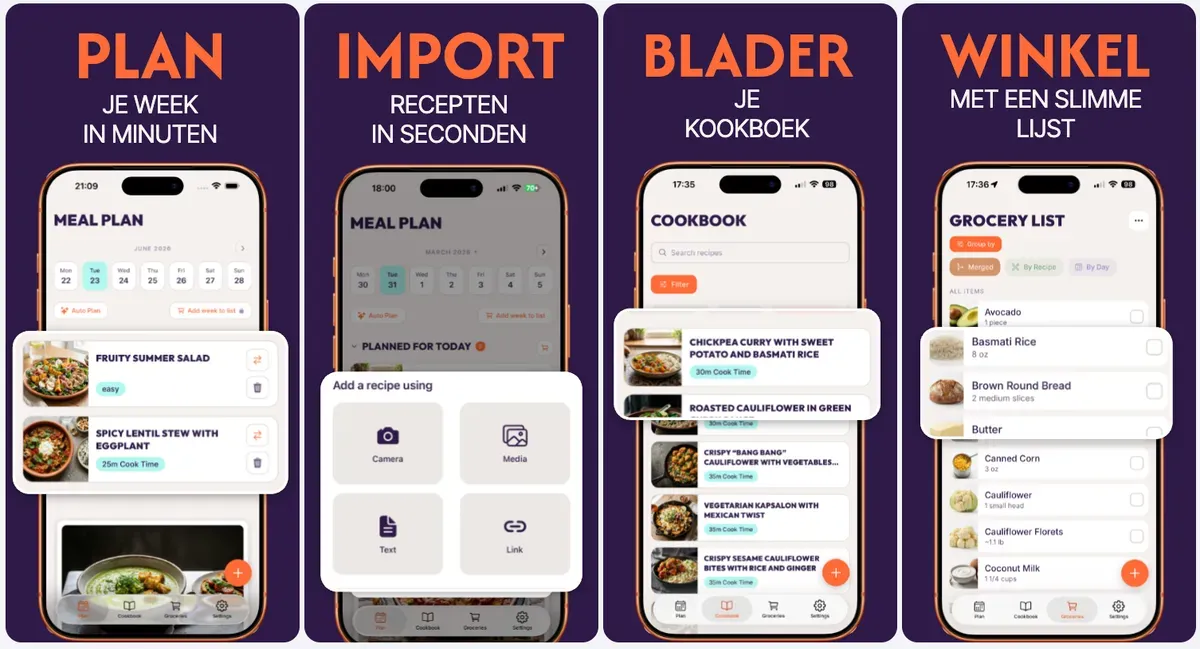
Your screenshots are your pitch
On the App Store and Google Play, screenshots are the first thing people see, and one of the few levers you fully control over conversion. Lingue gets you a converting first draft in minutes.
of visitors never scroll past your first three screenshots
is all most people spend before deciding to install
screenshots are where most installs are won or lost
Figures reflect widely cited App Store Optimization industry research.
Cheaper than one hour of a designer
7 days free. Cancel anytime.
Starter
For solo developers shipping a handful of apps.
- 5 projects
- 50 ASO optimized template generation credits per month
- Full design editor, every element is yours to move
- All iPhone, iPad and Android presets
- Exact-resolution PNG and JPEG export
- Custom fonts, including your own uploads
- Localize into every App Store and Play Store language
- Import and publish screenshots to one App Store and one Google Play account
- Email support
Pro
For teams and studios shipping across many apps.
- 30 projects
- 300 ASO optimized template generation credits per month
- Full design editor, every element is yours to move
- All iPhone, iPad and Android presets
- Exact-resolution PNG and JPEG export
- Custom fonts, including your own uploads
- Localize into every App Store and Play Store language
- Connect up to 5 App Store and 5 Google Play accounts
- Import and publish screenshots across all your store accounts
- Versioning: snapshot, branch and restore screenshot sets
- Priority support
$0.00 due today. Cancel anytime.
A single localized screenshot set from a freelancer runs $50+ per language. Lingue does every language for $15/mo.
Questions, answered
Ship store-ready screenshots this afternoon
Upload your screens, get a converting draft, localize everything, sync to both stores.
7 days free. $0.00 due today, cancel anytime.